How to Recover Saved Passwords in FFFTP


In this article, you’ll learn where FFFTP stores your FTP login passwords, how they are protected, and how you can easily recover them.
FFFTP Password Secrets
FFFTP stores all your FTP login passwords at following Registry location
HKEY_CURRENT_USER\Software\Sota\FFFTP\Options
Below this Registry location, separate registry key (with name “Host0”, “Host1”, “Host2” etc) is created to store each FTP site data.
Here is the exported Registry data for one of the FTP site “Host1”
Windows Registry Editor Version 5.00

[HKEY_CURRENT_USER\Software\Sota\FFFTP\Options\Host1]
"Set"=dword:00000000
"HostName"="ftp.xenarmor.com"
"HostAdrs"="ftp.xenarmor.com"
"UserName"="xenuser"
"LocalDir"=""
"Password"="0Ccc8286eebc45f81655d4beb8b649563a:0db8f20a8d33fbfac96e7644dc2c15de1724487cf00592c06d304093fc8c5fcc"
"Sort"=hex:ff,ff,ff,ff
"Bmarks"=hex(7):00,00
"PKey"="0Cc0fdf07dadb046a6da55185f80bdc4b2:192bb3cada3f5f058b4838b2cec83cc2e7a26a904c7f2da483adffe91cd97bef"
Here “HostName”, “UserName” & “Password” registry values refers to FTP server, username & encrypted password respectively.
Password field contains 2 parts separated by ‘:’. First part contains IV data (except first 2 characters) and second part is encrypted password.
FFFTP application first generates encryption key by performing SHA1 hash of the Master Password and two static magic texts. Then this key along with above IV data is finally used to encrypt the FTP password using AES-256 algorithm.
How to Recover FFFTP Passwords Automatically
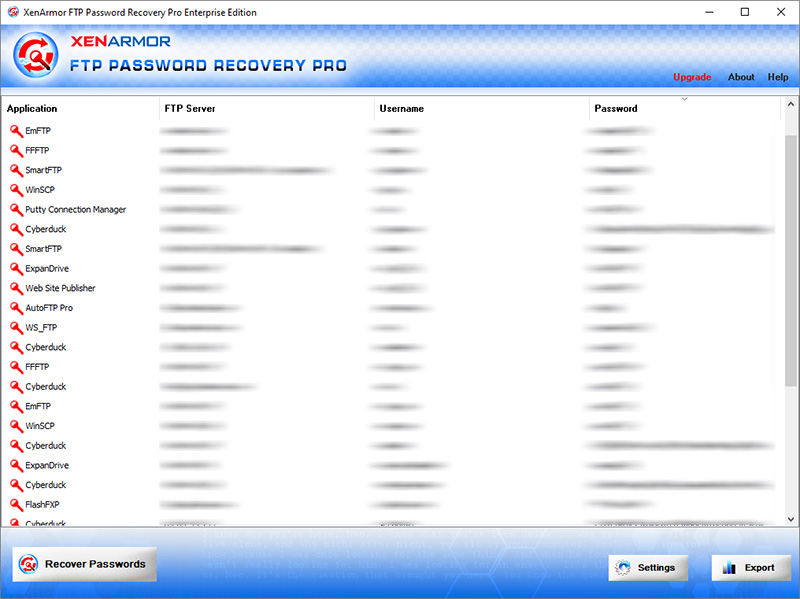
Now you can easily recover all your forgotten FTP login passwords from “FFFTP” without any technical knowledge.
With just one click, XenArmor FTP Password Recovery Pro can recover all your saved FTP site passwords from FFFTP in seconds.
Follow these simple steps,
- Download & install the software from here
- Click on “Recover Passwords”
- Instantly see all your saved FFFTP passwords
Here are the key features loved by users,
- Recover from 10+ FTP Clients
- Recover from both 32-bit & 64-bit apps
- Extract from all profiles & custom locations
- Support command-line & automation
- Export passwords to PDF, HTML, CSV, JSON & more
👉 Free Download XenArmor FTP Password Recovery Pro