

From a Global Leader in Password Forensics
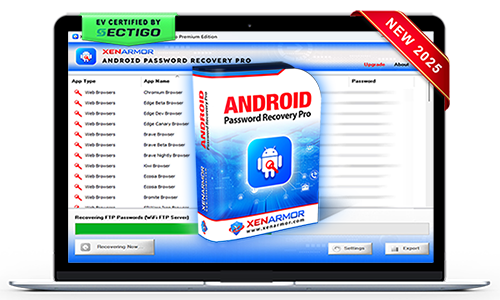
XenArmor Android Password Recovery Pro
Instantly extract passwords & system secrets from any Android devices (mobiles, tablets, TV etc) with enterprise-grade recovery
- App Passwords: Instant recovery from popular Android apps
- System Secrets: Extract Android system details, secrets & forensic artifacts
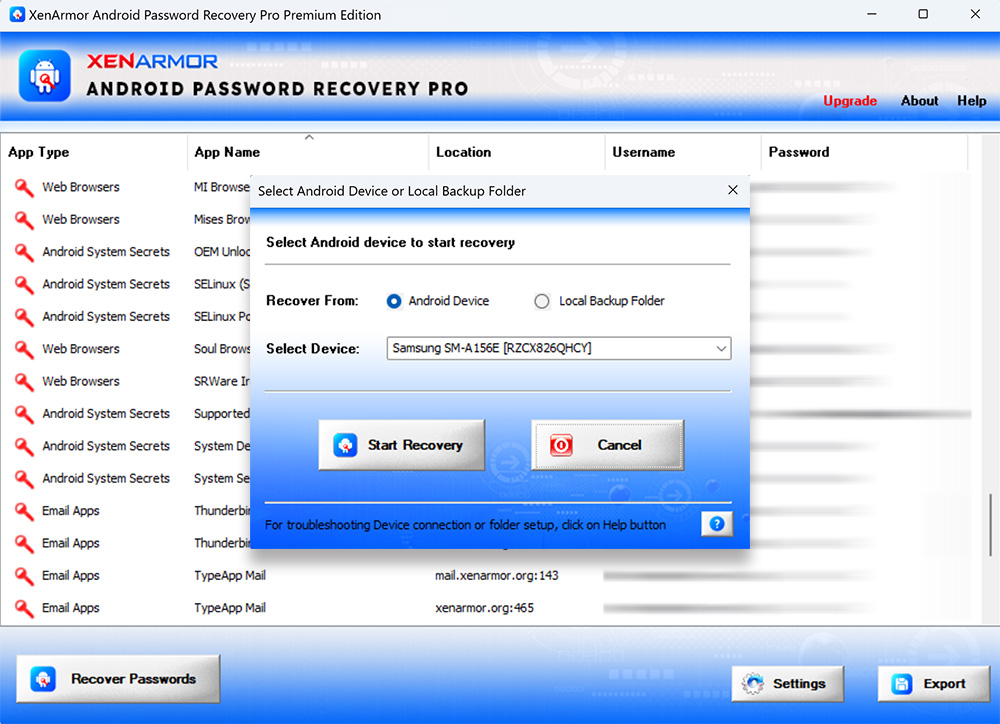
- Live Recovery: Recover passwords & secrets from connected Android devices
- Offline Recovery: Extract Android passwords & secrets from copied device data
- Backup & Export: Save recovered artifacts in HTML, CSV, XML, JSON, or SQLite
- Device & Version Support: Phones, tablets, TVs etc from Android v10 to v17
- Perfect Toolkit: Ideal for forensics, cybercrime, technicians, govt agencies & enterprises



Trusted by Govt & Enterprises Worldwide

Tired of using multiple password tools with limited recovery?
Recover all credentials from 300+ applications with one unified, professional recovery toolkit.
- Reliable recovery engine backed by decades of security expertise
- One toolkit for website, email, Wi-Fi, FTP, database, messenger, and system passwords
- Industry-leading coverage with support for 300+ popular applications
- Extract passwords from custom profiles, offline data, or external drives
- Portable, forensics-ready workflow for professional recovery operations


Struggling to resolve client password recovery cases with outdated tools?
Use one reliable and powerful toolkit to recover all credentials from 300+ applications.
- Stay ahead of evolving password encryption with a regularly updated recovery engine
- Deliver instant recovery results that enhance customer trust and professional reputation
- One powerful toolkit to recover all password types from 300+ Windows applications
- Extract passwords from custom profiles, offline data, or external drives
- Run directly from USB without installation for technician-friendly recovery
Forgot important password?
Instantly recover your lost passwords without resetting accounts or going through lengthy recovery steps.
- One-click password recovery with no technical knowledge required
- Recover website, email, social, database, FTP, Wi-Fi passwords from 300+ applications
- Recover from active profiles, old profiles, offline data, or external drives
- Backup & export recovered passwords to HTML, CSV, XML, JSON, or SQLite formats
- EV certified software - verified for trusted, secure, and tamper-proof software.


Android Password Recovery
Recover Website, Email, Social Network, FTP, File Manager, Wi-Fi Passwords.
Android Secrets Recovery
Recover Android system information, device details, and hidden security artifacts.
Live & Offline Recovery
Extract Android passwords directly from connected device or backup data copied to computer
Custom Location Recovery
Extract passwords from profile location of specified Android app.
Command-line & Automation
Automate recovery workflows through command-line execution and scripting integration.
Backup & Export
Save recovered passwords to HTML, CSV, XML, JSON, or SQLite formats.
Android Device Support
Recover from all type of Android devices (phones, tablets, TVs, watches etc) from v10 to latest v17.
Forensics-Ready
Recovery operations designed to align with forensic industry standards.
Portable Unlimited Edition
Run directly from USB on unlimited PCs without installation or activation.
For more screenshots, detailed features, and benefits, please visit the product guide.
Product GuideWeb Browsers
- Chrome
- Edge
- Firefox
- Opera
- Brave
- Vivaldi
- + many more
Email Clients
- BlueMail
- eM Client
- FairEmail
- K-9 Mail
- Thunderbird
- TypeApp Mail
- + many more
FTP Clients & Others
- FTP Client
- FTP Rush
- FTP Drive Pro
- File Manager by Lufick
- Wi-Fi Passwords
- WiFi FTP Server
- + many more
Android System Secrets
- Mobile Root Status
- ADB Security Status
- Device Data Encrypt Status
- Keystore Implementation Type
- Android Security Update
- SELinux Policy Enforce Status
- + many more
Important Note
- Android System Secrets can be recovered from non-rooted Android device. But recovery of app passwords is possible only from rooted device or backup data copied to local computer. For more details, refer to Three Ways to Recover Passwords from Any Android Device
- For Chrome browser, recovery is supported up to v132 (Jan 14, 2025). Newer versions store passwords in 'Google Password Manager'.

SECTIGO "EV Certified" Software
Verified for trusted, secure, and tamper-resistant software deployment.
XenArmor software is signed with an Extended Validation Code Signing Certificate issued after rigorous organization verification by SECTIGO, a globally trusted certificate authority.
- Run with confidence using verified, EV-certified software
- Install software from a trusted and authenticated publisher
- Recognized by Microsoft SmartScreen and leading antivirus engines
- Protected against tampering and unauthorized modifications
- Deploy safely across remote PCs and enterprise environments









You can easily fix it by following the step-by-step solution here
Currently, Android Password Recovery Pro can extract passwords from 50+ popular apps
Our team is contstantly upgrading it, so you can request for your app to be added in next release.
From non-rooted device, you can recover all Android System Secrets listed here and some passwords (like eM Client) which are stored in /sdcard/ folder.
Most Android apps store passwords in /data folder which require Root access.
There are multiple ways to gain Root privileges on your Mobile as explained in this guide
For successful recovery, you have to mainly copy /data folder from your Android device (you need Root access)
Please follow simple steps listed here to copy the right data to your PC & specify it correctly in the software.