From a Global Leader in Password Forensics
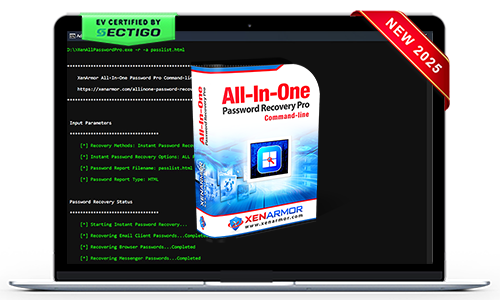
XenArmor All-In-One Password Pro Command-line
Portable command-line solution for local & remote recovery of payments, autofill, cookies, system secrets & passwords from 330+ Windows apps.
- AI-Powered Recovery Engine: Instant recovery from 330+ Windows applications
- All-Type Password Recovery: Recover website, email, social, messenger, database, FTP, Wi-Fi, Windows vault/credential manager & system secrets
- Browser Secrets Recovery: Find passwords, cookies, payments & autofill entries
- AI Registry Scanner: Auto detect and decode passwords from the registry
- Remote Password Recovery: Extract secrets from remote PC via command-line
- Automation: Automate recovery via fully customizable command-line options
- Forensics-Ready Workflow: For forensic, red teams, security, govt & enterprises
- EV Certified by SECTIGO: Verified for 100% tamper-proof & trusted by Antivirus



Trusted by Govt & Enterprises Worldwide

Tired of using multiple password tools with limited recovery?
Recover all credentials from 300+ applications with one unified, professional recovery toolkit.
- Reliable recovery engine backed by decades of security expertise
- Recover passwords from local and remote Windows systems seamlessly
- One toolkit for website, email, Wi-Fi, FTP, database, messenger, and system passwords
- Industry-leading coverage with support for 300+ popular applications
- Portable, forensics-ready workflow for professional recovery operations


Struggling to resolve client password recovery cases with outdated tools?
Use one reliable and powerful toolkit to recover all credentials from 300+ applications.
- Stay ahead of evolving password encryption with a regularly updated recovery engine
- Deliver instant recovery results that enhance customer trust and professional reputation
- One powerful toolkit to recover all password types from 300+ Windows applications
- EV-certified software trusted by antivirus solutions and Microsoft SmartScreen
- Portable workflow ideal for red teams, cyber security firms, IT technicians & security consultants etc
Need to Recover Passwords from Remote Systems Without Security Roadblocks?
Perform recovery across local and remote systems using trusted, enterprise-grade software.
- Successfully run local or remote password recovery using EV-certified software trusted by antivirus
- Recover credentials from local and remote systems using a remote-ready command-line workflow
- Forensics-Ready recovery without modifying file system or registry artifacts on target systems
- With a single command, extract all passwords and secrets from 300+ applications
- Export recovered results in multiple formats for auditing, reporting, analysis, or secure archival
Manual password recovery slowing down security audits and operations?
Automate password recovery tasks through command-line operations, scripts, and scheduled workflows
- Integrate password recovery into scripts, batch files, and enterprise automation workflows
- Execute automated recovery tasks reliably using trusted EV-certified software
- Recover passwords and secrets from 300+ applications with a single command
- Targetted application-specific recovery leading to faster and more efficient results
- Save time during large-scale audits, investigations & security operations
Recover from 330+ Apps
Extract credentials and system secrets from 330+ popular Windows applications instantly.
All Password Recovery
Recover website, email, social, FTP, database, Wi-Fi, Windows vault & credential mgr passwords.
Remote Password Recovery
Recover saved passwords from remote Windows systems using the command-line interface.
Autofill Secrets Recovery
Recover relevant form autocomplete entries from 130+ browsers using smart ignore filters.
Website Cookies Recovery
Recover stored website cookies from 130+ latest web browsers.
Payment Methods Recovery
Recover new payment methods (credit cards, bank accounts, etc.) from modern browsers.
AI Registry Scanner
Detects and recovers hidden credentials from the Windows registry using optimized scanning.
Master Password Support
Recover from all Mozilla-based apps (Firefox, Zen, Thunderbird, etc.) with master password.
Command-line & Automation
Automate recovery workflows & reports using fully customizable command-line options.
Backup & Export
Save recovered secrets to HTML, CSV, XML, JSON, or SQLite formats.
Forensics-Ready Workflow
Recovery operations designed to align with forensic industry standards.
Portable Unlimited Edition
Run directly from USB on unlimited PCs without installation or activation.
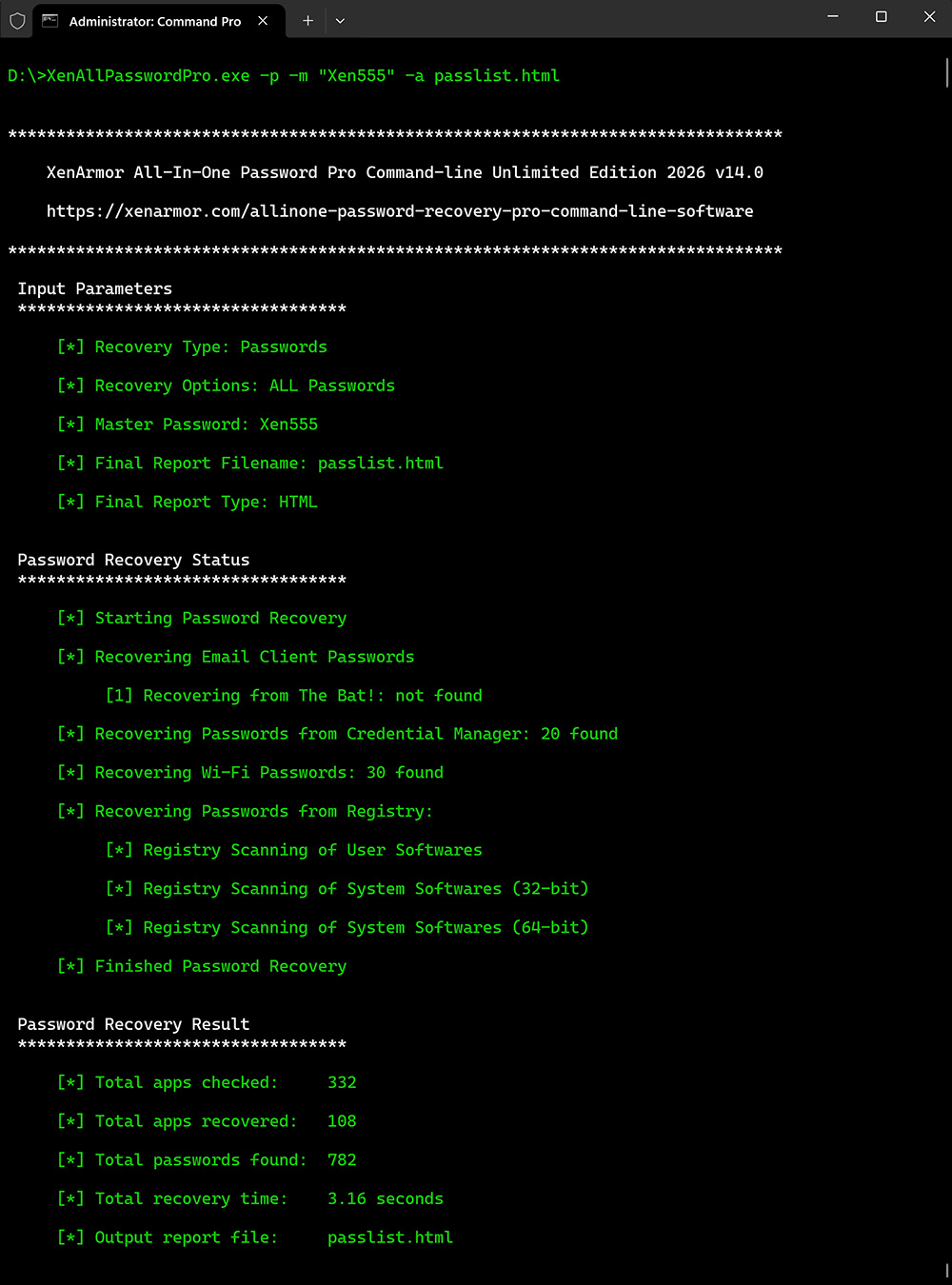
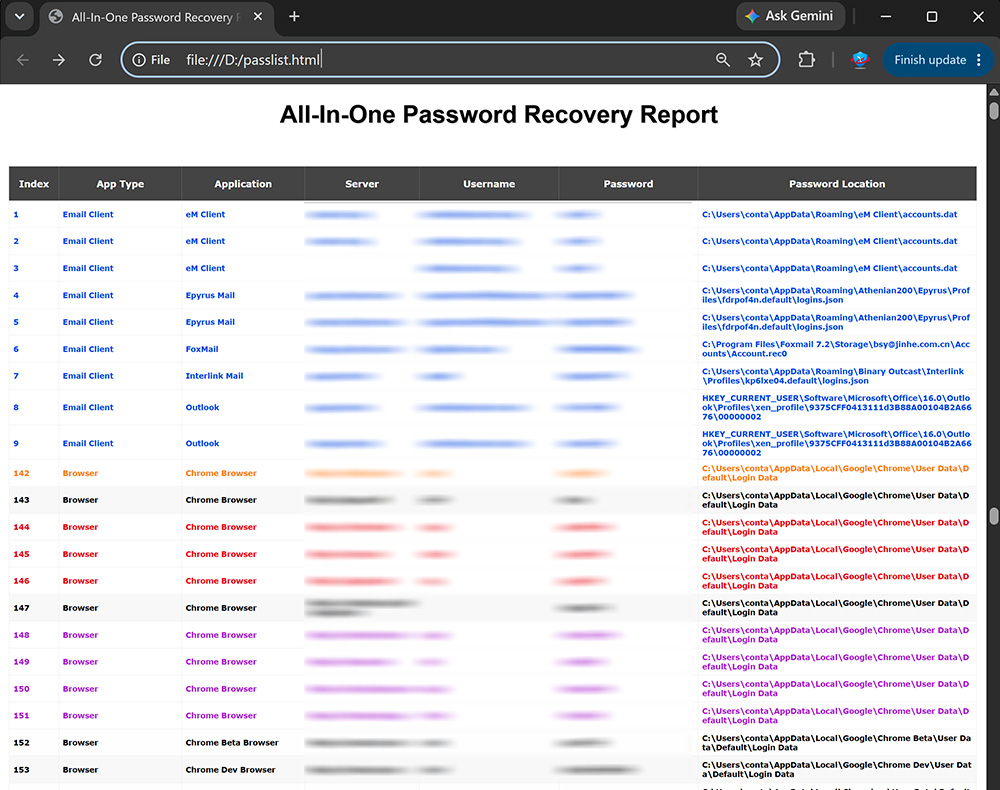
For more screenshots, detailed features, and benefits, please visit the product guide.
Product GuideWeb Browsers
- Chrome
- Edge
- Firefox
- Opera
- Brave
- Vivaldi
- + many more
Email Clients
- Outlook
- Thunderbird
- Mailbird
- eM Client
- Foxmail
- The Bat!
- + many more
FTP Clients
- FileZilla
- WinSCP
- CuteFTP
- Core FTP
- SmartFTP
- FlashFXP
- + many more
Database Tools
- RazorSQL
- Navicat MySQL
- Navicat PostgreSQL
- SQLite Maestro
- Firebird Maestro
- MySQL Query Browser
- + many more
Instant Messengers
- Trillian
- Pidgin
- Paltalk
- Digsby
- Spark IM
- Miranda IM
- + many more
Download Managers
- JDownloader
- FlashGet
- BitComet
- Internet Download Manager (IDM)
- Free Download Manager (FDM)
- Download Accelerator Plus (DAP)
- + many more
Windows Vault/Credential Mgr
- Microsoft Account
- Windows Mail App
- Outlook Exchange
- Microsoft Edge (old version)
- Remote Desktop Manager
- Network Domain Passwords
- + many more
Windows System Secrets
- BitLocker Keys
- AutoLogon Passwords
- Service Login Passwords
- LSA Secrets (SAM, LSA, BootKey etc)
- Windows VPN/Dial-up Passwords
- Windows User Account Passwords
- + many more
Other Windows Apps
- OpenVPN
- TeamViewer
- RealVNC
- AirDC++
- PokerStars
- Wi-Fi Passwords
- + many more

SECTIGO "EV Certified" Software
Verified for trusted, secure, and tamper-resistant software deployment.
XenArmor software is signed with an Extended Validation Code Signing Certificate issued after rigorous organization verification by SECTIGO, a globally trusted certificate authority.
- Run with confidence using verified, EV-certified software
- Install software from a trusted and authenticated publisher
- Recognized by Microsoft SmartScreen and leading antivirus engines
- Protected against tampering and unauthorized modifications
- Deploy safely across remote PCs and enterprise environments









The software automatically detects and decodes passwords from the default profile locations of all supported applications. See more details on how to recover passwords.
The software automatically recovers saved payment methods, including credit card and bank account details, along with browser passwords.
To recover website cookies and autofill secrets, use the dedicated command-line options explained here.
Yes, the software is 100% safe & secure to use
- Digi-signed with EV Certificate by Sectigo - ensuring authenticity & safety.
- Trusted by Antivirus and Windows SmartScreen
Intended for legitimate purposes only, such as:
- Recovery of your own passwords
- Recovery service for clients
- IT administration & auditing
- Digital forensics & investigations
- Security professionals & penetration testing
Note: Unauthorized access is strictly prohibited and may result in license termination.
No, the software is designed for users of all skill levels.
Just copy/paste the command in terminal to recover all passwords automatically.
Starting with version 14.0, the "External" DLLs folder is usually not required because the software directly decrypts passwords from modern Mozilla apps like Firefox, SeaMonkey, Zen, WaterFox, Thunderbird etc.
This supports Mozilla applications that use the newer key4.db database format, introduced with Firefox v58 and used since 2018.
If direct decryption fails, the software automatically uses the older NSS DLLs from the External folder.
So keep this folder for:
- Older Mozilla apps that use key3.db.
- Future encryption changes that may require NSS DLL-based recovery.
For security reasons, a trial version of this software is not available.
We recommend downloading GUI version below to verify all password recovery features.
Download XenArmor All-In-One Password Recovery Pro
You can also explore the User Guide for detailed instructions, screenshots, and examples.
Generally free password tools flagged as PUA (Potentially Unwanted Applications) by antivirus.
However, this software is enterprise-grade and digitally signed with EV Code Certificate by Sectigo, a leading certificate authority - ensuring authenticity & safety.
This is typically a false positive. You can resolve it by:
- Adding the software to your antivirus whitelist/exclusions
- Temporarily disabling antivirus protection during installation/running
- Reporting the file to your antivirus vendor as a false positive
For Windows Defender, you can quickly add exclusions or temporarily disable protection using:
XenArmor Windows Defender Manager Pro
Yes, this software is fully forensics-ready.
It leaves no file or registry footprints on target system and can be run from USB.
For advanced forensic investigations, we recommend:
XenArmor All-In-One External Drive Password Pro
It instantly recover all saved passwords from local computers and external drives.
Yes, this software is specifically designed for security professionals, penetration testers, and IT auditors.
- Ideal for security assessments, password audits, and automation tasks
- Supports customizable command-line options for scripting and automation
- Trusted and used by security experts & law enforcement agencies worldwide
This software can recover only current user passwords from local system
For 100% & automatic recovery from external drive, we recommend advanced software below,
XenArmor All-In-One External Drive Password Pro
This may occur if the application has a new version with different encryption or profile location. It is also possible that no passwords are currently saved on your system.
Contact our support team with the application name and details such as version, profile location, screenshots for expert assistance.