




Frequently Asked Questions
From a Global Leader in Password Forensics
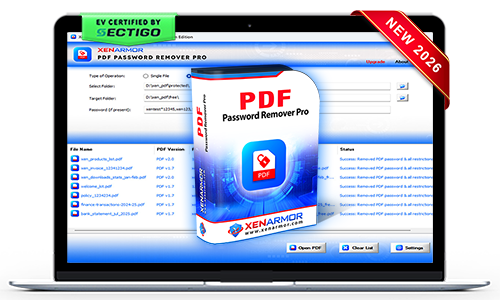
XenArmor PDF Password Remover Pro
Instantly unlock your PDFs and access them anytime without entering the password again — fast, private & offline.
- One-Click PDF Unlocker: Instantly remove PDF password protection.
- Remove All Restrictions: Enable copying, editing, printing, signing permissions.
- Private & Secure: All PDF processing is done locally
- All PDF Versions: Supports PDF v1.0 to v2.0 & all standard encryptions (RC4, AES etc).
- Batch PDF Unlocking: Remove passwords from multiple PDF files at once.
- Command-Line Automation: Automate PDF password removal via scripts or Scheduler.
- EV Certified by SECTIGO: Verified for 100% tamper-proof & trusted by Antivirus.
Note This software removes only known PDF password. See the FAQ for more.
Trusted by Govt & Enterprises Worldwide

19+Years in Security
285+Security Softwares
180+Countries Served
31+Million Downloads
Unlock PDFs. Remove Restrictions. Protect Privacy.
Tired of entering complex password every time to open your PDF?
Remove PDF passwords permanently and open your PDFs directly without entering passwords again.
- Permanently remove PDF password protection with a single click.
- Open your PDF files instantly without entering passwords again.
- All PDF unlocking is performed locally to ensure complete privacy and security.
- Compatible with all major PDF versions and encryption standards, including RC4 and AES.
- Remove passwords from multiple PDF files in a single operation to save time.


Unable to Copy, Edit or Print Your PDF File?
Instantly remove all PDF restrictions and unlock full access to your documents.
- Remove all restrictions to freely copy, edit, print, sign, and use your PDF files.
- Unlock protected PDF documents in seconds and regain full access.
- Maintain the original PDF quality, formatting, and document integrity.
- Restore complete control over your PDF documents without limitations.
- All operations are performed locally to ensure complete privacy and security.
Worried About Uploading Your Confidential PDFs Online?
Unlock PDF files locally without sending your documents to cloud services.
- 100% offline PDF processing with no internet connection required.
- Your PDF files are never uploaded, shared, or stored in the cloud.
- Ensure complete privacy and confidentiality of sensitive documents.
- Ideal for business, legal, financial, and other confidential PDF files.
- Enjoy faster PDF unlocking through secure local processing.

Key Features & Benefits
Remove PDF Password
Unlock PDF files instantly by removing password protection.
Remove All Restrictions
Enable copying, editing, printing, signing, and other PDF permissions.
Private PDF Operations
All PDF unlocking is performed locally to ensure privacy and security.
Bulk PDF Password Removal
Remove passwords from multiple PDF files in a single operation.
Multi-Password Unlocking
Remove passwords from multiple PDF files with different passwords in a single operation.
High-Speed PDF Processing
Local processing delivers faster PDF unlocking without uploads or cloud processing.
Support All PDF Files
Compatible with all PDF versions and encryption standards, including RC4 and AES.
Command-Line Automation
Automate PDF unlocking through scripts, programs, or scheduled tasks.
Portable Unlimited Edition
Run directly from USB on unlimited PCs without installation or activation.
Remove PDF Passwords & Restrictions Instantly
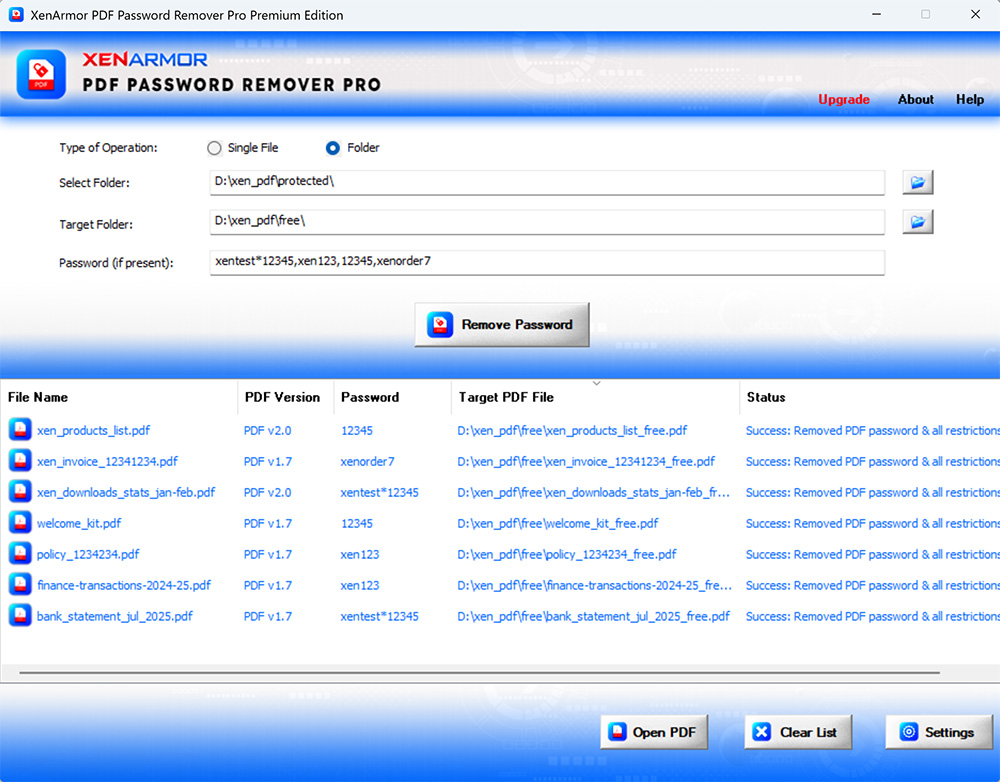
For more screenshots, detailed features, and benefits, please visit the product guide.
Product Guide
SECTIGO "EV Certified" Software
Verified for trusted, secure, and tamper-resistant software deployment.
XenArmor software is signed with an Extended Validation Code Signing Certificate issued after rigorous organization verification by SECTIGO, a globally trusted certificate authority.
- Run with confidence using verified, EV-certified software
- Install software from a trusted and authenticated publisher
- Recognized by Microsoft SmartScreen and leading antivirus engines
- Protected against tampering and unauthorized modifications
- Deploy safely across remote PCs and enterprise environments
Customer Reviews & Industry Recognition









The software supports both single file and folder modes for PDF password removal.
- Single File Mode: Removes the password from a selected PDF file
- Folder Mode: Processes multiple PDF files (based on Edition limits) & removes password using the provided password list
Once completed, the PDF files can be opened without entering a password.
The software is designed to remove an existing known password, so you don’t need to enter it everytime to open the PDF.
In certain cases (typically older PDF versions), it may try automatic password removal without requiring the original password.
No, the software is designed for users of all skill levels.
In few clicks, it can remove the PDF password instantly.
The Trial version is available for both Basic & Premium Edition.
It includes all features of the full version for evaluation with minor limitations,
- Support password up to 8 characters only
- Command-line features disabled
We recommend trying the Trial version before purchase. If you need any assistance, feel free to contact our support team.
Generally free password tools flagged as PUA (Potentially Unwanted Applications) by antivirus.
However, this software is enterprise-grade and digitally signed with EV Code Certificate by Sectigo, a leading certificate authority - ensuring authenticity & safety.
This is typically a false positive. You can resolve it by:
- Adding the software to your antivirus whitelist/exclusions
- Temporarily disabling antivirus protection during installation/running
- Reporting the file to your antivirus vendor as a false positive
For Windows Defender, you can quickly add exclusions or temporarily disable protection using:
XenArmor Windows Defender Manager Pro
The "Unlimited Edition" trial is not offered for security reasons.You can test the Premium Edition Trial, which has the same features.
The Unlimited Edition adds 100% portability and unlimited PCs support.
Yes, Premium and higher editions include command-line (CLI) support, allowing you to automate PDF password tasks or run it from your scripts.
For detailed usage and examples, please refer to the User Guide.
Yes, the "Unlimited Edition" is fully forensics-ready.
It leaves no file or registry footprints on target system and can be run from USB.
Mostly it is due to incorrect password. This may occur in rare cases if the PDF file is encrypted with different encryption.
Contact our support team with the PDF file and details such as screenshots for expert assistance — no charges, even for trial users.
Ready to remove your PDF password & restrictions?
Download the trial version below to see it in action.