ow to Recover Saved Passwords in Yandex Browser (Step-by-Step Guide)


In this guide, you will learn where Yandex browser saves your passwords, how they are secured using encryption, and the easiest way to recover them instantly.
Yandex Browser Password Storage Location
Yandex browser stores all your website login credentials in a file named “Ya Passman Data”, located at:
C:\Users\[user_name]\AppData\Local\Yandex\YandexBrowser\User Data\Default\Ya Passman Data
This file is a SQLite database containing a table called “logins”, where all saved credentials are stored.
Important Fields in “logins” Table
- origin_url => Website Page URL
- signon_realm => Website Domain
- username_value => Username or Email
- password_value => Encrypted Password
How Yandex Browser Encrypts Passwords
Yandex browser is a Chromium-based browser and follows a similar encryption model used by Chrome, Edge, Brave browser etc.
Older Versions
- Passwords were encrypted using Windows DPAPI
- Can be decrypted using system APIs like CryptUnprotectData
Newer Versions
Passwords are encrypted using a master encryption key stored in the “Local State” file:
C:\Users\[user_name]\AppData\Local\Yandex\YandexBrowser\User Data\Local State
The master key is stored in value called “encrypted_key” in Base64 format and protected using Windows DPAPI
Final master key (32 bytes) along with another yandex key (‘local_encryptor_data’) is used to decrypt saved passwords using AES-256-GCM algorithm.
Important Note: Since Yandex browser uses user-specific encryption, saved passwords cannot be decrypted from another user account or external drive unless advanced recovery methods are used (see solution at the end of this post).
How to Recover Yandex Browser Passwords Automatically
Recovering Yandex passwords manually can be time-consuming due to multiple encryption layers.
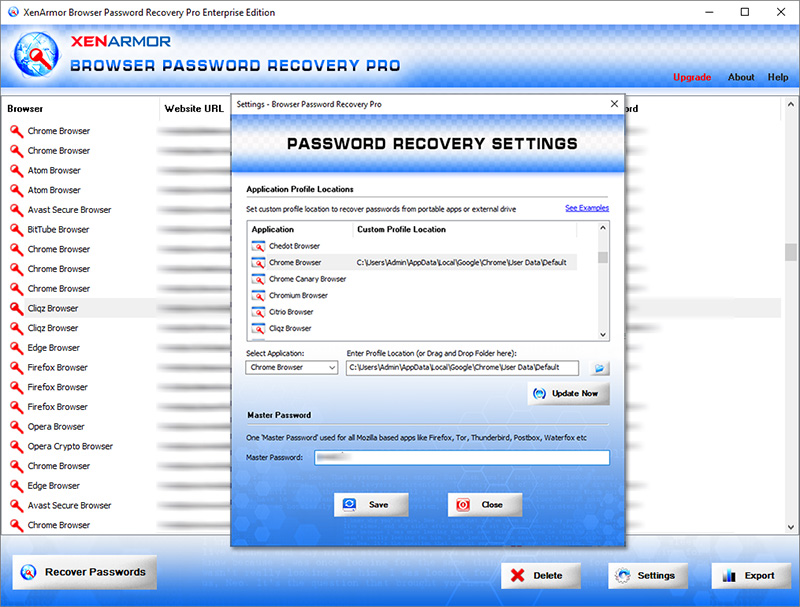
With XenArmor Browser Password Recovery Pro, you can instantly recover all Yandex passwords with a single click.
Follow these simple steps:
- Download & install the software from here
- Click on “Recover Passwords”
- View all saved Yandex browser passwords instantly
Key Features:
- Recover passwords from 140+ browsers
- Recover all website passwords
- Recover Form Autofill secrets (cards, codes, keys)
- Extract from all profiles & custom locations
- Command-line & automation support
- Export to HTML, PDF, CSV, JSON & more
👉 Free Download Browser Password Recovery Pro
To recover Yandex browser passwords from external drives or other user accounts,