

How to Find Your Techsmith Product or License Key


Lost your Techsmith products license key? No worries!
This guide will help you quickly recover activation/serial key of all your Techsmith products like Camtasia Studio, SnagIt etc
If so, this article will help you to quickly find your Techsmith license key using multiple methods.
Find Techsmith License Key in Order Email
Often you can find most of your softwares license key in the order email.
Follow the steps below to search for Techsmith key in your email,
- Step 1. Login to your email inbox (used for ordering software)
- Step 2. Search for emails having “Techsmith license” or “Techsmith activation”
- Step 3. Now check in each found email to see if it has license key of your Techsmith software
Find Techsmith License Key in Registry
Another way is to look for license keys in Windows Registry. Like most softwares, Techsmith also stores activation key and other registration details in Registry.
Below is the Registry location where you can find Techsmith software activation key
[Windows 32-bit]
HKEY_CURRENT_USER\SOFTWARE\TechSmith\[software_name]\
HKEY_CURRENT_USER\SOFTWARE\TechSmith\[software_name]\[version]\
HKEY_LOCAL_MACHINE\SOFTWARE\TechSmith\[software_name]\
HKEY_LOCAL_MACHINE\SOFTWARE\TechSmith\[software_name]\[version]\

[Windows 64-bit]
HKEY_CURRENT_USER\SOFTWARE\TechSmith\[software_name]\
HKEY_CURRENT_USER\SOFTWARE\TechSmith\[software_name]\[version]\
HKEY_LOCAL_MACHINE\SOFTWARE\Wow6432Node\TechSmith\[software_name]\
HKEY_LOCAL_MACHINE\SOFTWARE\Wow6432Node\TechSmith\[software_name]\[version]\
Here are simple steps to locate your Techsmith serial key in Registry,
- Step 1. Open Registry Editor (start menu -> search -> type regedit)
- Step 2. After it opens, on the left side navigate to above Registry key location.
- Step 3. Next, on the right side pane, you will find values named ‘RegistrationKey‘, ‘RegisteredTo‘ containing activation key details.
Find Techsmith License Key in File
For some products, Techsmith also stores license keys in local disk.
Below is the file location where you can find Techsmith software activation key
C:\ProgramData\TechSmith\[software_name]\RegInfo.ini

C:\Users\[user_name]\AppData\Roaming\TechSmith\[software_name]\RegInfo.ini

C:\Users\[user_name]\AppData\Local\TechSmith\[software_name]\RegInfo.ini
Find Techsmith Products Key Automatically
Now you can easily find lost activation key of Techsmith products without any technical skills.
With just one click, XenArmor All-In-One Key Finder Pro can scan and recover all your Techsmith product’s license keys in seconds.
Follow these simple steps,
- Download & install the software from here
- Click on “Recover Keys”
- Instantly see license keys of all Techsmith products
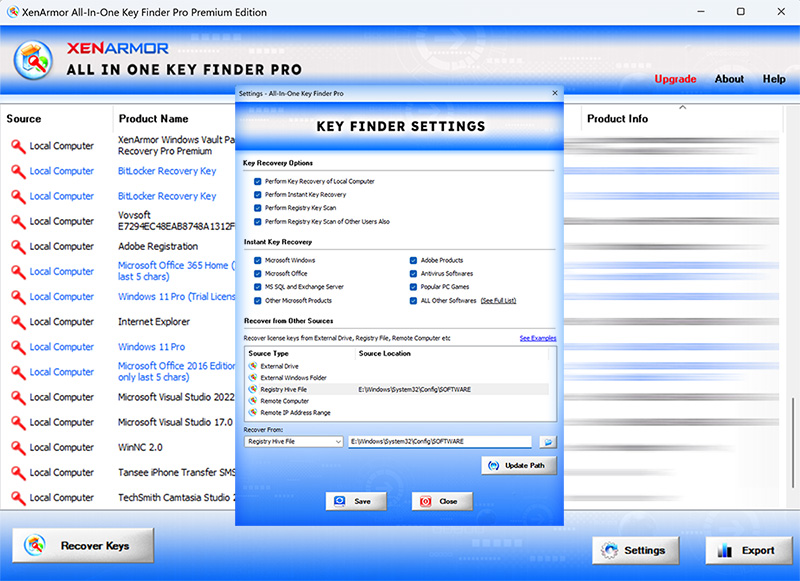
Here are the key features loved by users,
- Recover Keys of 17,300+ popular softwares
- Recover Keys of Windows, Office, BitLocker, Techsmith & more
- AI based Registry Key Scanner
- Extract Keys from local PC, external drive, registry file or remote computer
- Support command-line & automation
- Export Keys to PDF, HTML, CSV, JSON & more
👉 Free Download XenArmor All-In-One Key Finder Pro
Recommended Posts

How to Find Your Adobe Photoshop Product or License Key
November 27, 2021

How to Find Your Adobe Acrobat Product or License Key
November 27, 2021

How to Find Your Adobe Product or License Key
November 27, 2021