How to Recover Saved Passwords in SeaMonkey Browser


In this article, you’ll learn where SeaMonkey browser stores your passwords, how they are protected, and how you can easily recover them.
SeaMonkey Browser Password Secrets
SeaMonkey browser saves all your website logins at following location
[Windows Vista/7/8/10]
C:\Users\[user_name]\AppData\Roaming\Mozilla\SeaMonkey\Profiles\[random name].default\

[Windows XP/2003]
C:\Documents and Settings\[user_name]\Application Data\Mozilla\SeaMonkey\Profiles\[random name].default\
SeaMonkey stores all the website login passwords in JSON format file called ‘logins.json’
Here is one of the website entry,
{
"id":1,
"hostname":"https://accounts.google.com",
"httpRealm":null,
"formSubmitURL":"https://accounts.google.com",
"usernameField":"user",
"passwordField":"pwd",
"encryptedUsername":"MDIEEPgBBBBABBBEwFAYIbaZIhvcNAwcEaAFsqdqBAiJyHK56O9cid==",
"encryptedPassword":"MDoEEPgBCCCCAAAAAAEwFCDIKoZIBAtABCG4rNAexni08zRm4Sraz/",
"guid":"{46cfe997-9043-40e8-8207-6d6cf222bcb4}",
"encType":1,
"timeCreated":1304064618760,
"timesUsed":25
},
Here formSubmitURL, encryptedUsername and encryptedPassword refers to website login link, encrypted username and encrypted password respectively.
SeaMonkey browser uses Triple DES and SHA1 algorithm to encrypt both username & password. After encryption, resulting password is stored in Base64 format in the above file.
SeaMonkey Master Password
SeaMonkey also allows you to set Master Password to prevent others from stealing your website passwords.
To make it further secure, SeaMonkey encrypts master password using one way hash algorithm. That means it cannot be decrypted instantly and only way to recover it using brute-force method which may take years based on length and complexity of master password.
SeaMonkey stores master password details in files called key3.db and cert8.db in the same profile folder as above.
How to Recover SeaMonkey Browser Passwords Automatically
Now you can easily recover all your forgotten passwords from SeaMonkey browser without any technical knowledge.
With just one click, XenArmor Browser Password Recovery Pro can recover all your saved SeaMonkey website passwords in seconds.
Follow these simple steps,
- Download & install the software from here
- Click on “Recover Passwords”
- Instantly see all your website passwords from SeaMonkey browser
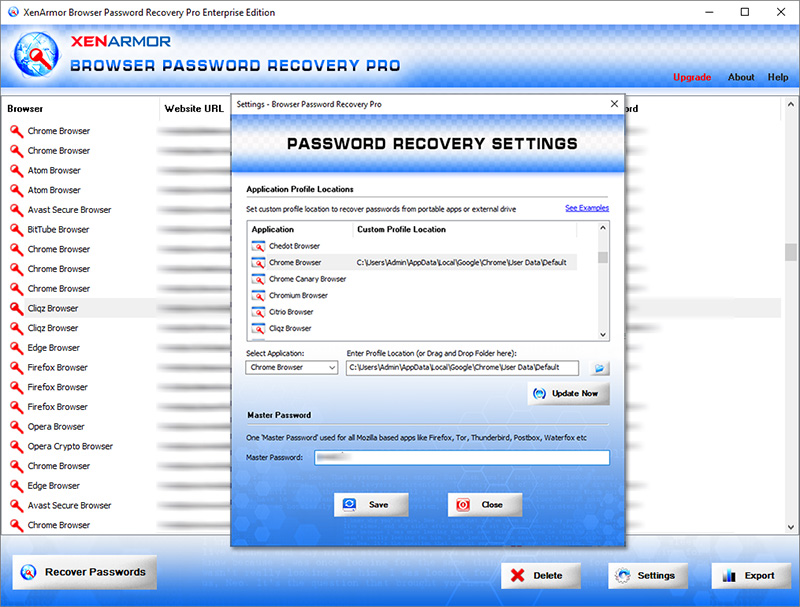
Here are the key features loved by users,
- Works across 140+ web browsers
- Recover all website passwords
- Also recover Form Autofill secrets (key, code, credit card etc)
- Extract from all profiles & custom locations
- Support command-line & automation
- Easily identify with multi-colored display
- Export secrets to PDF, HTML, CSV, JSON & more
👉 Free Download XenArmor Browser Password Recovery Pro
Recommended Posts

How to Switch from PIN to Password Login on Windows
November 29, 2025