




Frequently Asked Questions
From a Global Leader in Password Forensics
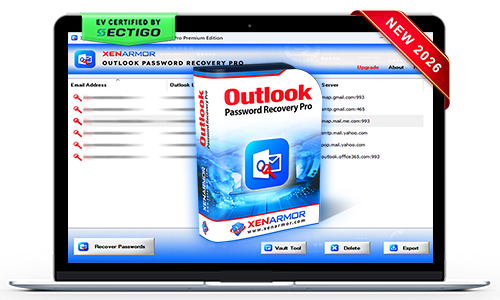
XenArmor Outlook Password Recovery Pro
Instantly recover forgotten email passwords from all Outlook versions. Also safely clean them to protect your privacy.
- All Outlook Support: Recover passwords of all Outlook versions (v2003 to v2024)
- Multi-Source Recovery: Extract from Registry, Windows Vault & Credential Manager
- All Mail Types: Recover passwords for IMAP, POP3, SMTP, and HTTP
- Clear Passwords: Safely remove saved passwords to protect your privacy
- Command-line/Automation: Automate recovery with scripts and Task Scheduler
- Backup & Export: Save passwords in HTML, PDF, CSV, XML, JSON, or SQLite
- EV Certified by SECTIGO: Verified for 100% tamper-proof & trusted by Antivirus
Trusted by Govt & Enterprises Worldwide

19+Years in Security
285+Security Softwares
180+Countries Served
31+Million Downloads
Recover Forgotten Passwords, Remove Private Secrets
Forgot your Outlook password?
Instantly recover your lost password without resetting account or time-consuming recovery process.
- One-click password recovery with no technical knowledge required
- Recover passwords of all Outlook versions (v2003 to v2024)
- Recover passwords for all mail protocols including IMAP, POP3, SMTP, and HTTP
- Automate recovery operation via scripts using command-line
- Backup all recovered passwords to HTML, PDF, CSV, XML, JSON, or SQLite


Want to erase your private Email secrets?
Safely clean your saved Outlook passwords to protect your privacy.
- Instantly & securely remove saved Outlook passwords
- Erase from Registry, Windows Credential Manager & Windows Vault
- Protect your privacy from other users and prying eyes
- Support all Windows platforms from Vista to Windows 11
- EV certified software - verified for trusted, secure, and tamper-proof software
Key Features & Benefits
Outlook Password Recovery
Instantly recover saved email account passwords from Microsoft Outlook.
Multi-Source Recovery
Extract stored credentials from Registry, Windows Vault, and Credential Manager.
All Outlook Versions
Supports password recovery from Outlook 2024, 2021, 2019, 2016, 2013, 2010, 2007, 2003, and earlier versions.
All Mail Protocols
Supports password recovery for IMAP, POP3, SMTP, HTTP, and other mail protocols.
Remove Saved Passwords
Securely remove saved Outlook passwords to protect your privacy.
100% Secure & Tamper-Proof
Sectigo EV Certified software verified for security, authenticity, and tamper-proof integrity.
Command-line & Automation
Automate recovery through command-line execution and scripting integration.
Backup & Export
Save recovered passwords to HTML, PDF, CSV, XML, JSON, or SQLite formats.
Portable Unlimited Edition
Run directly from a USB drive on unlimited PCs without installation or activation.
One-Click Recovery or Removal of Outlook Passwords
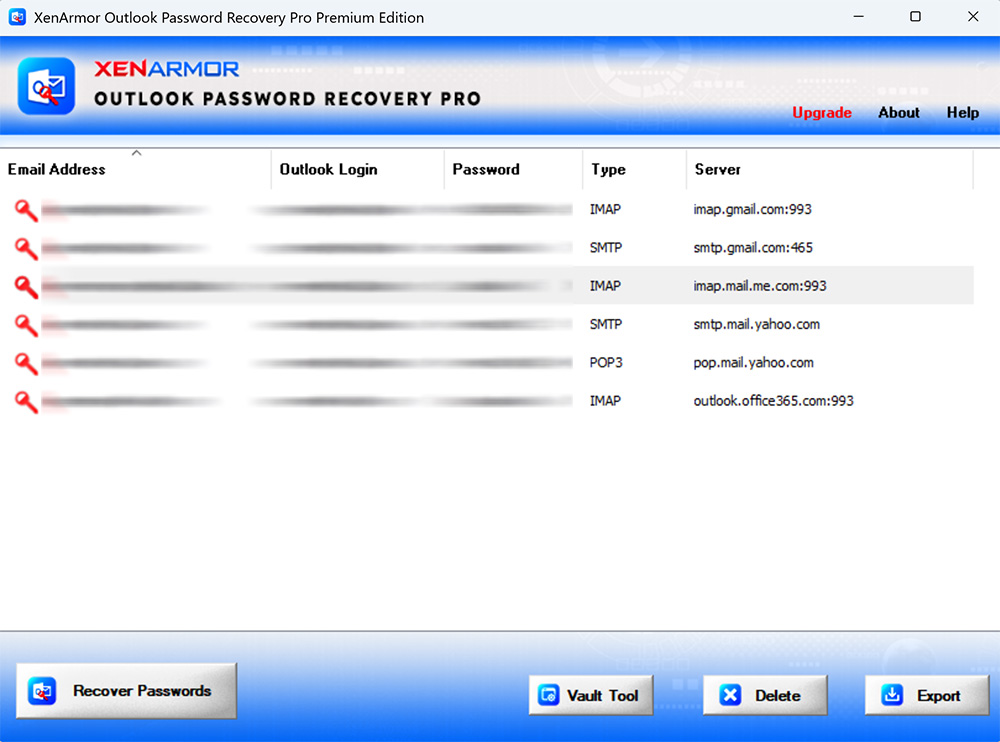
For more screenshots, detailed features, and benefits, please visit the product guide.
Product GuideRecover Outlook & Other Passwords from
Windows Vault & Credential Manager
- Cyberduck
- ExpanDrive
- G5 Games Friends Account
- Gmail Notifier
- Generic/Custom Credentials
- GoPro Desktop App
- Internet Explorer (Basic Auth Passwords)
- Ivanti FileDirector (Appsense Datanow)
- Microsoft Account
- Microsoft Edge Browser (old version)
- Microsoft Outlook (old version)
- Microsoft Outlook Exchange
- Remote Desktop (RDP)
- Network Domain Passwords
- VMWare Workstation (Windows TPM Encryption Password)
- Windows Live Messenger
- Windows Mail App
NoteAbove passwords are recovered using Windows Vault Password Recovery Pro included in Premium & higher editions. Here "Outlook Exchange" passwords are listed as Network Passwords.

SECTIGO "EV Certified" Software
Verified for trusted, secure, and tamper-resistant software deployment.
XenArmor software is signed with an Extended Validation Code Signing Certificate issued after rigorous organization verification by SECTIGO, a globally trusted certificate authority.
- Run with confidence using verified, EV-certified software
- Install software from a trusted and authenticated publisher
- Recognized by Microsoft SmartScreen and leading antivirus engines
- Protected against tampering and unauthorized modifications
- Deploy safely across remote PCs and enterprise environments
Customer Reviews & Industry Recognition









It automatically scans and detects all saved passwords from Outlook application on your system.
Yes, the software is 100% safe & secure to use
- Digi-signed with EV Certificate by Sectigo - ensuring authenticity & safety.
- Trusted by Antivirus and Windows SmartScreen
Intended for legitimate purposes only, such as:
- Recovery of your own passwords
- Recovery service for clients
- IT administration & auditing
- Digital forensics & investigations
- Security professionals & penetration testing
Note: Unauthorized access is strictly prohibited and may result in license termination.
No, the software is designed for users of all skill levels.
With one-click, it can scan & recover all passwords automatically.
The Trial version is available for both Basic & Premium Edition.
It includes all features of the full version for evaluation with minor limitations,
- Shows only first 2 characters of recovered passwords
- Command-line features disabled
We recommend trying the Trial version before purchase to verify password recovery. If you need any assistance, feel free to contact our support team.
Generally free password tools flagged as PUA (Potentially Unwanted Applications) by antivirus.
However, this software is enterprise-grade and digitally signed with EV Code Certificate by Sectigo, a leading certificate authority - ensuring authenticity & safety.
This is typically a false positive. You can resolve it by:
- Adding the software to your antivirus whitelist/exclusions
- Temporarily disabling antivirus protection during installation/running
- Reporting the file to your antivirus vendor as a false positive
For Windows Defender, you can quickly add exclusions or temporarily disable protection using:
XenArmor Windows Defender Manager Pro
The "Unlimited Edition" trial is not offered for security reasons.You can test the Premium Edition Trial, which has the same features.
The Unlimited Edition adds 100% portability and unlimited PCs support.
Yes, Premium and higher editions include command-line (CLI) support, allowing you to automate password recovery tasks or run it from your scripts.
For detailed usage and examples, please refer to the User Guide.
For security professionals and penetration testers, we recommend:
XenArmor All-In-One Password Pro Command-line
Yes, the "Unlimited Edition" is fully forensics-ready.
It leaves no file or registry footprints on target system and can be run from USB.
For advanced forensic investigations, we recommend:
XenArmor All-In-One External Drive Password Pro
It instantly recover all saved passwords from local computers and external drives.
No, this software can recover passwords from local system only.
For 100% & automatic recovery from external drive, we recommend advanced software below,
XenArmor All-In-One External Drive Password Pro
This may occur if the application has a new version with different encryption or profile location. It is also possible that no passwords are currently saved on your system.
Contact our support team with the application name and details such as version, profile location, screenshots for expert assistance — no charges, even for trial users.
Ready to recover your Outlook passwords?
Download the trial version below to see all your passwords in seconds.