How to Recover Saved Passwords in BitKinex


In this article, you’ll learn where BitKinex stores your FTP login passwords, how they are protected, and how you can easily recover them.
BitKinex Password Secrets
BitKinex stores all your FTP login passwords at following location
[Windows Vista/7/8/10]
C:\Users\[user_name]\AppData\Roaming\BitKinex\bitkinex.ds

[Windows XP/2003]
C:\Documents and Settings\[user_name]\Application Data\BitKinex\bitkinex.ds
This “bitkinex.ds” file contains list of all the FTP server configuration.
Here is the sample for the FTP site “ftp.xenarmor.com”,
### Node definition: ftp.xenarmor.com ###
NODE: TYPE = FTP NAME = BitKinex|Ftp|ftp.xenarmor.com
SET DST_ADDR ftp.xenarmor.com
SET USER xenuser1
SET PASS 0c667f3df62f47f1ce5e445e505bfeda
Here “DST_ADDR”, “USER” & “PASS” fields refer to FTP server, username & encrypted password respectively.
BitKinex encrypts the FTP password using Blowfish ECB algorithm with static key.
How to Recover BitKinex Passwords Automatically
Now you can easily recover all your forgotten FTP login passwords from “BitKinex” without any technical knowledge.
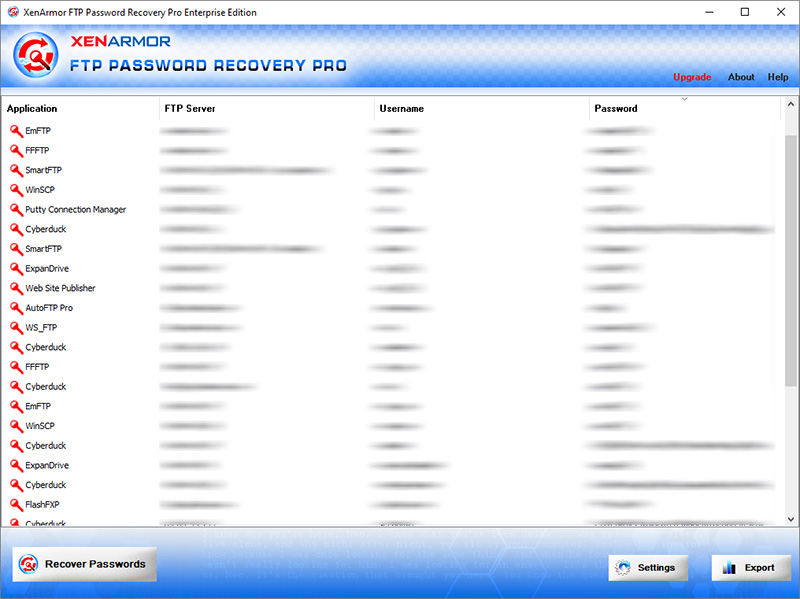
With just one click, XenArmor FTP Password Recovery Pro can recover all your saved FTP site passwords from BitKinex in seconds.
Follow these simple steps,
- Download & install the software from here
- Click on “Recover Passwords”
- Instantly see all your saved BitKinex passwords
Here are the key features loved by users,
- Recover from 10+ FTP Clients
- Recover from both 32-bit & 64-bit apps
- Extract from all profiles & custom locations
- Support command-line & automation
- Export passwords to PDF, HTML, CSV, JSON & more
👉 Free Download XenArmor FTP Password Recovery Pro