How to Recover Saved Passwords in Classic FTP


In this article, you’ll learn where Classic FTP stores your FTP login passwords, how they are protected, and how you can easily recover them.
Classic FTP Password Secrets
Classic FTP stores all your FTP login passwords at following Registry location
HKEY_CURRENT_USER\Software\NCH Software\ClassicFTP\FTPAccounts\Site1\[ftp_server]\0
For each [ftp_server] Registry key, you will find registry values “Server”, “UserName” & “_Password” refering to FTP server, username & encrypted password respectively.
Classic FTP encrypts the FTP password using RC4 algorithm with MD5 hash of magic text as key.
How to Recover Classic FTP Passwords Automatically
Now you can easily recover all your forgotten FTP login passwords from “Classic FTP” without any technical knowledge.
With just one click, XenArmor FTP Password Recovery Pro can recover all your saved FTP site passwords from Classic FTP in seconds.
Follow these simple steps,
- Download & install the software from here
- Click on “Recover Passwords”
- Instantly see all your saved Classic FTP passwords
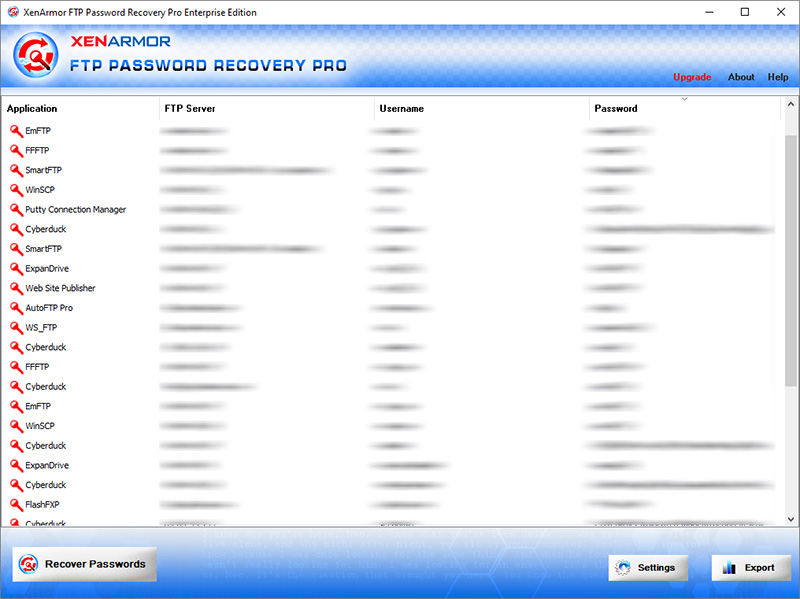
Here are the key features loved by users,
- Recover from 10+ FTP Clients
- Recover from both 32-bit & 64-bit apps
- Extract from all profiles & custom locations
- Support command-line & automation
- Export passwords to PDF, HTML, CSV, JSON & more
👉 Free Download XenArmor FTP Password Recovery Pro
Recommended Posts

How to Switch from PIN to Password Login on Windows
November 29, 2025